

Writing code manually line by line is a legacy skill. The industry abandoned standard autocomplete extensions months ago. Now, the best AI coding assistants act as autonomous senior engineers living inside your terminal. They read your entire codebase, draft unit tests, refactor legacy scripts, and execute bash commands.
Table of Contents
- ●Quick summary: the top picks
- ●1. Cursor AI: the undisputed heavyweight
- ●2. Claude Code: the autonomous terminal agent
- ●3. Windsurf by Codeium: the flow state editor
- ●4. GitHub Copilot Workspace: the enterprise default
- ●5. Google Code Assist (Gemini 1.5 Pro)
- ●6. JetBrains AI Assistant
- ●7. Antigravity 2.0 (the vibe coding pick)
- ●Comparing the top AI coding tools
- ●How to deploy your AI-generated code
- ●Frequently asked questions
- ●Do AI coding assistants steal my code?
- ●Can a beginner use Cursor AI without knowing how to code?
- ●What is the difference between an AI autocomplete and an AI agent?
- ●Final verdict
But these tools handle completely different workloads. Some return instant, low-latency line completions. Others map complex architecture paths across 600 files. Pick the wrong tool for your specific workflow, and you fight the AI instead of shipping features.
I spent the last 4 months testing the top market options. I evaluated complex Python backends, React frontends, and raw Ubuntu server configurations. I measured latency, context window limits, pricing structures, and actual code quality.
Here is exactly how the top 7 tools perform in 2026.
Quick summary: the top picks
- Best overall IDE: Cursor AI (The gold standard for multi-file edits).
- Best for CLI users: Claude Code (Unmatched terminal autonomy).
- Best for enterprise: GitHub Copilot Workspace (Deep GitHub integration).
- Best for massive codebases: Google Code Assist (2 million token context).
1. Cursor AI: the undisputed heavyweight
Cursor AI holds the top spot for AI code editors. It forks VS Code directly. You download it, log in, and your existing extensions load instantly. Then Cursor rewrites the core editing experience entirely.
Cursor Composer drives the primary experience. You press Command+I, describe a new feature, and Cursor edits multiple files simultaneously. It relies on Claude 3.5 Sonnet and GPT-4o as its core models. You watch it draft the frontend component, wire up the API route, and update the database schema in real time.
Cursor features a highly aggressive codebase indexing system. It uses ripgrep to scan your entire project directory when you ask a question in the chat panel. This forces the AI to ground its answers in your actual file structure.
You can also program its behavior using a .cursorrules file. This plain text file sits in your root directory. It forces the AI to follow your specific architectural guidelines.
{

  "rules": [

    "Use Next.js 14 App Router syntax strictly.",

    "Write server components by default.",

    "Use Tailwind CSS for styling.",

    "Never import generic React hooks in server files."

  ]

}
This stops the AI from importing outdated libraries. It guarantees your new components match the exact syntax your team expects.

- Familiar VS Code interface.
- Multi-file Composer edits save hours.
- Allows you to switch between Claude and OpenAI models on the fly.
- Indexing large mono-repos bogs down your machine CPU.
- The $20 monthly tier limits fast premium requests.
Pricing: Free basic tier. Pro tier is $20 per month for fast model access.
Want to see it in action? Check out our complete guide on how to build a web app with Cursor AI.
2. Claude Code: the autonomous terminal agent
Anthropic bypassed the GUI text editor entirely. They built a raw CLI (Command Line Interface) tool. You install it globally via npm, navigate to your project directory in your terminal, and type claude.
Claude then acts as an autonomous terminal agent with direct access to your file system. You give it a directive like finding a memory leak in the authentication flow. Claude runs grep searches, reads your server logs, and writes a patch. It runs your local Jest test suite and presents the final changes for your approval.
This tool requires terminal literacy. You need a solid grasp of your local environment. But the speed becomes staggering once you adjust to the workflow.
Do not ask Claude Code to write a whole app from scratch. Use it for targeted debugging. Try this exact prompt in your terminal:
Scan all files in /controllers. Find any PostgreSQL queries vulnerable to injection. Rewrite them using parameterized queries. Run 'npm test' after each file change.
Claude reads the schema, writes the migration script, executes it, and verifies the new tables exist. It handles the busywork entirely on its own.
- Works with any editor (Vim, Emacs, VS Code).
- Executes terminal commands autonomously.
- Directly reads your local .env variables to connect to databases.
- API costs spike rapidly if the agent enters a failing loop.
- No visual diff interface built into the terminal window.
Pricing: Pay-as-you-go based on API tokens. A typical day of heavy use costs around $1 to $3.
Read our full tutorial on how to deploy a Claude Code web app to Hostinger.
3. Windsurf by Codeium: the flow state editor
Windsurf is the newest dedicated AI IDE from Codeium. Cursor pulls in third-party models from OpenAI and Anthropic. Codeium takes a different path. They built their own custom indexing technology called Cascade.
Windsurf operates with zero network lag on basic keystrokes. The inline ghost text appears instantly when you type. Codeium uses highly tuned, smaller models for raw autocomplete. They save the heavy compute requests for their deep chat features.
Cascade acts as a persistent memory layer. You do not need to constantly re-explain your project architecture. Windsurf remembers the prop-drilling decisions you made on Tuesday and applies those same patterns on Friday.
It parses the Abstract Syntax Tree (AST) of your project. It understands how a change in your database model affects a deeply nested UI component. When you rename a user ID field in your backend, Windsurf tracks that change all the way to your CSS classes.
- Incredibly low latency autocomplete.
- Cascade memory tracks long-term project goals across days.
- Excellent free tier for individual developers.
- Smaller extension ecosystem compared to VS Code.
- The user interface feels cluttered during initial onboarding.
Pricing: Free tier available. Pro tier is $15 per month.

4. GitHub Copilot Workspace: the enterprise default
Microsoft integrated AI directly into the GitHub repository layer with GitHub Copilot Workspace. You open a GitHub Issue describing a bug. You click the “Open in Workspace” button.
The AI reads the issue and proposes a step-by-step plan. It edits the code in an isolated cloud environment and generates a Pull Request automatically. You review the code in your browser and merge it.
This tool forces strict architectural structure. It blocks developers from hacking together messy local fixes. It generates clean commits and links them directly to active issues.
The AI pulls context from your active GitHub Actions. If your CI/CD pipeline fails, the workspace reads the failure logs. It patches the failing test and pushes a new commit without you opening a local code editor.
- No local server setup required.
- Forces clean issue-to-PR workflows.
- Strict SOC2 compliance and enterprise security.
- Slow for rapid local prototyping.
- The $39 per user monthly fee adds up quickly for large teams.
Pricing: Included with GitHub Copilot Enterprise at $39 per user per month.
5. Google Code Assist (Gemini 1.5 Pro)
Google targets massive enterprise systems with Google Code Assist. They embedded the Gemini 1.5 Pro model directly into this tool. This gives you a massive 2 million token context window.
You drop thousands of pages of custom API documentation into the prompt. You paste 400 legacy Java files and 10 years of commit history. The AI reads everything without summarizing or dropping details.
Google Code Assist processes massive data volumes far beyond standard editors. You give it a 1,200-page PDF detailing strict HIPAA compliance regulations. The AI audits your entire healthcare backend and flags non-compliant data routing instantly.
If you manage a messy, undocumented monolithic application, Google Code Assist maps the chaos better than anything else on the market.
6. JetBrains AI Assistant
If you write Java, Kotlin, or C#, you likely use a JetBrains IDE like IntelliJ IDEA. The JetBrains AI Assistant operates natively inside that ecosystem.
JetBrains injects AI features directly into your existing workflow. It generates commit messages based on your exact git diffs. It writes JavaDoc comments formatted perfectly to your company style guide. It analyzes crash logs and pinpoints the exact line of failing code in your debugger.
It functions strictly as a typed-language assistant. You ask it to refactor a messy Spring Boot controller. The assistant decompiles referenced .class files to check library compatibility. It rarely hallucinates nonexistent libraries because it reads your pom.xml dependencies directly.
7. Antigravity 2.0 (the vibe coding pick)
Antigravity 2.0 targets non-technical founders. It focuses heavily on vibe coding. You build software purely through natural language prompts without touching the underlying syntax.
You describe a habit tracker application. Antigravity scaffolds the React frontend, provisions the Firebase database, and bolts on the authentication. It hides the raw code behind a visual preview interface.
If a rendering error occurs, the AI reads the stack trace. It patches the component automatically. You only see the fixed visual output on your screen.
For a full breakdown, read our tutorial on how to build apps with Antigravity 2.0 and Gemini 3.5 Flash.
Comparing the top AI coding tools
| Tool name | Base model | Primary interface | Starting price |
|---|---|---|---|
| Cursor AI | Claude 3.5 Sonnet / GPT-4o | Desktop IDE (VS Code Fork) | $20 per month |
| Claude Code | Claude 3.7 Sonnet | Terminal CLI | Pay-per-token API |
| Windsurf | Codeium Custom | Desktop IDE | Free ($15 Pro) |
| GitHub Copilot Workspace | OpenAI GPT-4o | Web Browser / GitHub | $39 per month |
| Google Code Assist | Gemini 1.5 Pro | IDE Plugin / Web | $19 per month |
How to deploy your AI-generated code
Generating code is only step 1. You must host the application. Tools like OpenAI Codex write brilliant scripts. But you still have to buy the servers and configure the ports.
Many developers push Next.js projects directly to Vercel. But Vercel pricing scales aggressively once you hit serverless function limits. You need a dedicated hosting environment to run a heavy Python backend or a large MySQL database.
I strongly recommend managing your own VPS for AI projects. You secure fast speeds and predictable pricing. Check out Hostinger for highly affordable VPS hosting. You get full root access. You install Node.js, set up Python virtual environments, and run Docker containers exactly how your AI assistant scripted them.
You can ask Claude Code to write a complete deployment configuration. It writes a docker-compose.yml file like this:
version: '3.8'

services:

  web:

    image: node:18

    working_dir: /app

    volumes:

      - .:/app

    ports:

      - "3000:3000"

    command: npm run start
You paste this into your Hostinger server terminal. You run one command, and your AI-generated app goes live to the world.
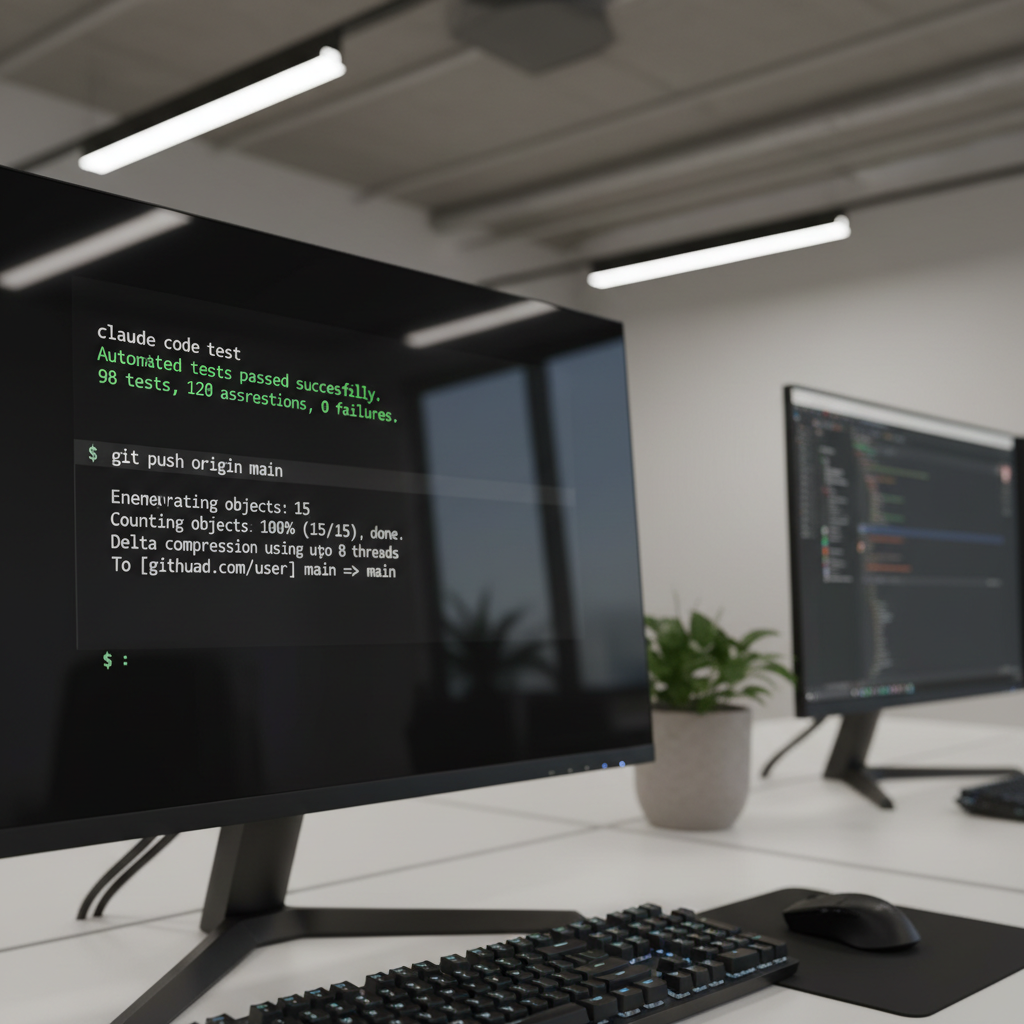
The quality of the output depends entirely on the input. Learn exactly how to talk to these models by reading our guide on the best Claude prompts for coding web apps.
Frequently asked questions
Do AI coding assistants steal my code?
It depends on your settings. Free tiers often use your code snippets to train future models. If you work on closed software, pay for enterprise tiers. Tools like GitHub Copilot Enterprise and Claude Code API connections offer zero-data-retention policies. They process your prompt and immediately delete the data.
Can a beginner use Cursor AI without knowing how to code?
Yes, but you hit a wall eventually. Cursor writes the code, but you still need to understand basic logic to debug errors. According to surveys from Stack Overflow, developers who understand core programming concepts resolve AI hallucinations 80% faster than absolute beginners.
What is the difference between an AI autocomplete and an AI agent?
Autocomplete predicts the next 10 lines of code as you type. An AI agent operates autonomously. You give an agent a goal like building a login screen. The agent creates the files, writes the code, installs the dependencies via terminal, and tests the output.
Final verdict
Your choice dictates your shipping speed. If you want maximum control and deep context understanding across multiple files, download Cursor AI today. If you prefer keeping your hands on the keyboard and living in the terminal, load up your API keys and run Claude Code.
Stop writing boilerplate syntax. The machines do it faster, and they rarely miss a semicolon.
Start Your First AI Build with Cursor

Written by Mangaleswaran
Mangaleswaran is the founder of AIZnap (aiznap.com) and a dedicated AI content creator. With a background in blogging and technology, he has a deep passion for making artificial intelligence accessible to everyone. He specializes in breaking down complex AI tools, tutorials, and updates into simple, practical guides that anyone can follow. Whether you are a complete beginner or someone looking to use AI to build websites, apps, or grow your online presence — Mangaleswaran's content is designed to help you take action with confidence.
View all posts