
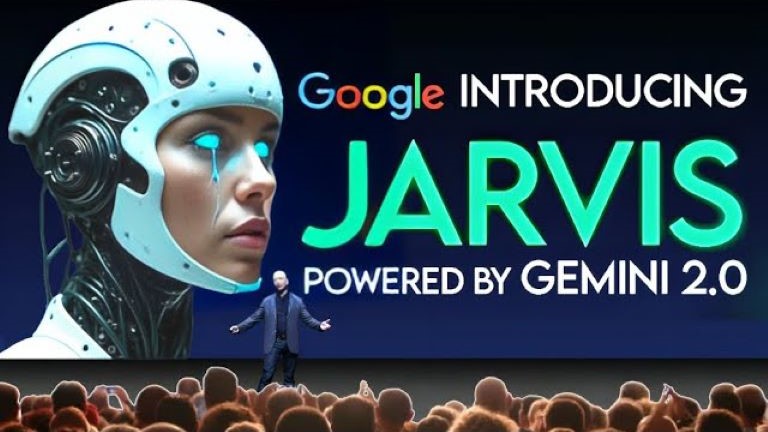
In late 2024, a Google engineer pushed a flawed update to the Chrome Web Store. The listing vanished minutes later. But the internet captures everything.
Table of Contents
- ●The mechanics of the vision-action loop
- ●Setting up Google Jarvis in Chrome
- ●The agent war: Google vs. Anthropic vs. OpenAI
- ●Real world limitations and privacy costs
- ●The hardware cost of running an agent
- ●The advantages
- ●The downsides
- ●Building custom workflows
- ●Frequently asked questions
- ●Is Google Jarvis AI free to use?
- ●Does it work on Mac and Windows?
- ●Can websites block Jarvis?
- ●Is my data secure?
- ●The final verdict
The leaked extension, titled “Project Jarvis,” promised a companion that clicks and types for you. Fast forward to May 2026. The Google Jarvis AI 2026 rollout is complete, and it consumed the web browser.
You open Chrome. You type a command. You watch your cursor move on its own.
The browser scans flight prices and inputs your payment details. It secures an aisle seat. You never touch the mouse.
Google took the Gemini multimodal system and bolted it into Chrome’s core infrastructure. We spent the last 3 years typing text to chatbots. Now, the AI clicks the interface directly.
Did you know? The architecture of Google Jarvis processes up to 2 million tokens of context per session. It remembers the exact sneakers you viewed last Tuesday and how you prefer your calendar events formatted.
The mechanics of the vision-action loop
How does a language model know where the “Submit” button lives on a random, poorly coded webpage? It uses a vision-action loop.
The agent takes a screenshot of your active Chrome tab. It pushes that image into the Gemini 3.0 vision model.
The model identifies interactive elements and maps them to X and Y coordinates on your screen. It calculates a mouse trajectory and fires a simulated click.
So, it waits. It watches the screen for the Document Object Model (DOM) to update.
It takes another screenshot. The cycle repeats until the task finishes.
According to researchers at Google’s official AI research blog, this visual approach bypasses the need for backend API connections. Jarvis interacts with the raw pixels, just like a human eye.
This means it works on government websites built in 2004. It works on flash-heavy legacy portals. If a human can click it, Jarvis can click it.
Setting up Google Jarvis in Chrome
You don’t need a computer science degree to run this agent. You simply need a Google account and the latest stable Chrome build.
- Open Chrome Settings and navigate to the “Workspace Agents” tab.
- Toggle the “Allow Autonomous Actions” switch to the on position.
- Grant operating system permissions for screen recording. Jarvis requires visual access to operate.
- Pin the Jarvis command bar to your browser header for quick access.
Read our breakdown of these systems in The Ultimate Guide to Autonomous AI Agents in 2026: From OpenAI Operator to Google Jarvis.
Exact Jarvis prompts to try today:
"Find me a direct flight from Seattle to Tokyo under $900 for the first week of October, and book the aisle seat using my saved Visa.""Log into my Mailchimp account, pull the open rates for the last 3 newsletters, and paste the numbers into a new Google Sheet.""Go to Amazon, search for a stainless steel French press with at least 4.5 stars, and add the cheapest option to my cart."The agent war: Google vs. Anthropic vs. OpenAI
Google fights a multi-front war for desktop dominance.
Anthropic’s Computer Use release hit the market earlier. It focuses on developer actions. OpenAI’s latest autonomous frameworks aim straight at enterprise systems and heavy data analysis.
Google targets the everyday consumer. With 3 billion active Chrome users globally, they own the distribution channel. When a feature ships inside Chrome, it becomes the default internet experience overnight.
| Feature | Google Jarvis (Chrome) | Anthropic Claude | OpenAI Operator |
|---|---|---|---|
| Primary environment | Web browser (Chrome) | Full operating system | OS & Enterprise apps |
| Underlying model | Gemini 3.0 | Claude 3.5 Sonnet | Operator / GPT-4.5 |
| Best use case | Shopping, research, travel | Coding, cross-app navigation | Data analysis, system tasks |
| Barrier to entry | Low (Browser built-in) | Medium (API / Desktop app) | Medium (Subscription) |
Analysts at DataCamp note that owning the browser layer gives Google a distinct data advantage. Jarvis sees your searches and abandoned shopping carts.
Real world limitations and privacy costs
We have to address the cost of convenience. Handing your browser keys to an AI agent requires trust.
Jarvis reads your emails and bank balances. It continuously captures your screen to function.
Security researchers at Wired criticize the risks of session hijacking. If a malicious site tricks the agent, it could drain your bank account.
Google solves this by sandboxing the agent’s memory. You must verify financial transactions with a fingerprint or FaceID. But the system still processes a staggering amount of personal data.
Read our Privacy Policy guide to see how agent tracking affects your browsing.
The hardware cost of running an agent
Running a continuous vision-action loop burns processing power.
Early iterations of Jarvis drained laptop batteries fast.
Taking screenshots every 2 seconds and uploading them to a cloud model taxes your CPU and Wi-Fi card. Hardware testers at The Verge reported older MacBooks losing half their battery life in under 2 hours of heavy agent use.
Google solved this. They shifted the heavy computing to their cloud servers.
Your machine simply streams the visual data. Google’s server farm calculates the coordinates and fires the click action.
It requires a fast internet connection, but it keeps your laptop fan quiet.
The advantages
- Saves hours of repetitive clicking.
- Works natively on legacy websites without API access.
- Bolts directly into Google Workspace tools.
- Follows multi-step instructions.
The downsides
- Requires high internet bandwidth.
- Occasionally misclicks on frequently updating web pages.
- Requires intrusive screen recording permissions.
- Struggles with captchas and security checks.
Building custom workflows
You can chain commands together to build custom workflows.
You ask Jarvis to scrape data from a competitor’s website and draft an email to your boss. Financial analysts use this exact workflow daily. Financial market reporting moves fast, and agents pull data faster than human hands.
Small business owners use it to audit their inventory. You hand the agent a set of rules, and it executes them while you sleep. Read more about how these mechanics affect business structures on our Features page.
According to enterprise architecture reports from CIO Magazine, companies are actively replacing mid-level data entry clerks with these browser-based agents.
Frequently asked questions
Is Google Jarvis AI free to use?
Google offers a free basic tier for all Chrome users. Heavy-duty workflows demand a Google One AI Premium subscription.
Does it work on Mac and Windows?
Yes. The agent lives entirely inside the Chrome browser engine. The underlying operating system doesn’t matter.
It functions identically on macOS and Windows 11.
Can websites block Jarvis?
Some sites try. Secure banking portals use advanced behavioral monitoring to block automated clicks.
But because Jarvis simulates human mouse movements at a natural pace, it bypasses basic bot detection scripts.
Is my data secure?
Financial reporting by the WSJ indicates Google encrypts agent sessions end-to-end. But handing an AI total visibility into your tabs carries security risks if a hacker compromises your local machine.
The final verdict
Google Jarvis AI 2026 changes the baseline of internet navigation. You tell the computer what you want. The computer figures out how to get it.
The browser now navigates itself. Learn more about the authors tracking these shifts on our About page.
Have questions about setting up your own agents? Contact our team directly to get started.
Read the full autonomous agent guide

Written by Mangaleswaran
Mangaleswaran is the founder of AIZnap (aiznap.com) and a dedicated AI content creator. With a background in blogging and technology, he has a deep passion for making artificial intelligence accessible to everyone. He specializes in breaking down complex AI tools, tutorials, and updates into simple, practical guides that anyone can follow. Whether you are a complete beginner or someone looking to use AI to build websites, apps, or grow your online presence — Mangaleswaran's content is designed to help you take action with confidence.
View all posts