

I have a confession. For the last 2 years, I practically lived inside Claude. My entire team built workflows around it. Claude was the engine underneath how our team worked every single day. We wired our entire project management stack directly into its API.
Table of Contents
- ●What they are and who they are for
- ●Pricing and token burn rates
- ●Feature showdown: Codeex versus Claude
- ●Third-party apps and image generation
- ●Deep research and citations
- ●The automations ecosystem
- ●The fact check test
- ●Why vibe coding is better on Codeex
- ●Feature comparison table
- ●Pros and cons
- ●ChatGPT and Codeex pros
- ●Claude pros
- ●The final verdict
- ●How to migrate your memory to ChatGPT
- ●Frequently asked questions
- ●Is Claude completely dead in 2026?
- ●What exactly is Codeex?
- ●Do I need to know how to code to use Codeex automations?
But a few weeks ago, I sent a message to my 250-person company. We moved to OpenAI. I ripped Claude out of our stack and moved my entire team onto a different AI ecosystem because the math stopped making sense.
OpenAI caught up. From GPT 5.5 to the new Codeex app, OpenAI does everything we used Claude for. Projects, skills, vibe coding, and background automations. It works faster and cheaper for us at scale.
Whichever AI ecosystem you choose right now gets bolted into how you work. It learns your writing style, your business, and your team. Choosing the wrong ecosystem today becomes a 10,000 dollar mistake next year.
I run 3 AI companies with users across 100 countries. When an API breaks, I feel it in our Stripe dashboard before anybody else does. I am breaking down exactly why we switched from Claude to OpenAI. We look at GPT projects, Codeex, agents, vibe coding, automations, and fact-checking.
What they are and who they are for
Claude and ChatGPT represent the 2 heavyweight foundational AI models in 2026. Anthropic built Claude. OpenAI built ChatGPT.
Claude heavily targets writers, researchers, and non-technical managers. It offers an interface called Co-work. Co-work lets non-technical staff run projects, schedule tasks, and build live artifacts. You drag 14 PDF case studies into the browser. You ask Claude to spit out a combined strategy document. It does the job in 12 seconds.
If you want to dig into Anthropic’s specific tools, I highly recommend checking out these 10 best Claude AI skills to understand its strengths.
ChatGPT targets developers, marketers, and power users who want a central command station. OpenAI recently merged their fragmented tools into 1 single app called Codeex. Codeex runs image generation, code execution, deep research, file analysis, and background automations inside a clean interface.
You type a prompt. Codeex spins up a local Python environment. It runs the script, catches the error, and rewrites the function automatically. It handles the heavy lifting without asking for permission.
Pricing and token burn rates
Both platforms charge 20 dollars a month for standard subscriptions. The real cost hides in the token usage for advanced coding and automation tasks.
Claude Code burns through tokens fast. My 200 dollar Claude API plan died in 4 days. We hit rate limits constantly. I looked at the Anthropic status page for the last 90 days. I saw red and orange lines everywhere indicating partial outages.
Claude simply ran out of compute. We tried to refactor a massive React codebase. The context window filled up immediately. Claude rejected the prompt. It told us to try again in 4 hours. Startups cannot pause engineering for 4 hours.
OpenAI handles volume much better. With Codeex, I run the exact same workload and the credits last me 28 days. This saves my engineering team 4,000 dollars every single week.
OpenAI caches tokens. You send the same 10,000 lines of code 5 times. OpenAI only charges you for the first read. Anthropic charges you full price every single time you hit enter. I never see ChatGPT drop offline during our core work hours.
Feature showdown: Codeex versus Claude
The web UI between the 2 platforms looks similar at first glance. Once you open ChatGPT on the web, you realize it functions as a complete control center. You have a library, third-party apps, deep research, Codeex, projects, and custom agents.
Third-party apps and image generation
ChatGPT lets you connect Slack, Canva, Figma, Notion, and Airtable. You chat with them like they are part of the model itself. We connected our company Notion workspace.
I ask ChatGPT to find the Q3 marketing plan. It reads the Notion database, grabs the text, and rewrites it into an email draft. Claude forces you to copy and paste text manually between tabs.
Claude connects to tools like Canva too. But Claude cannot generate its own original images. It only takes pre-generated photos from the internet. ChatGPT builds images natively.
Make me a launch pitch deck for the latest release of the iPhone 18. Act as a senior product marketing manager.
The model reasons through the prompt. It treats the iPhone 18 details as hypothetical concepts. A generate design button appears next to the Canva logo. You click it.
Canva builds 5 presentation slides right there inside the chat window. You edit the text on the slides without leaving the OpenAI interface. You export the finished deck in 3 clicks.
Deep research and citations
Most AI tools scrape the top 3 search results and stop working. Deep research lets you point the AI at specific websites. You feed it 3 specific competitor blogs.
The answer comes back with exact citations from those exact pages. I told Deep Research to map out the pricing tiers of 15 competing software products. It crawled 45 URLs.
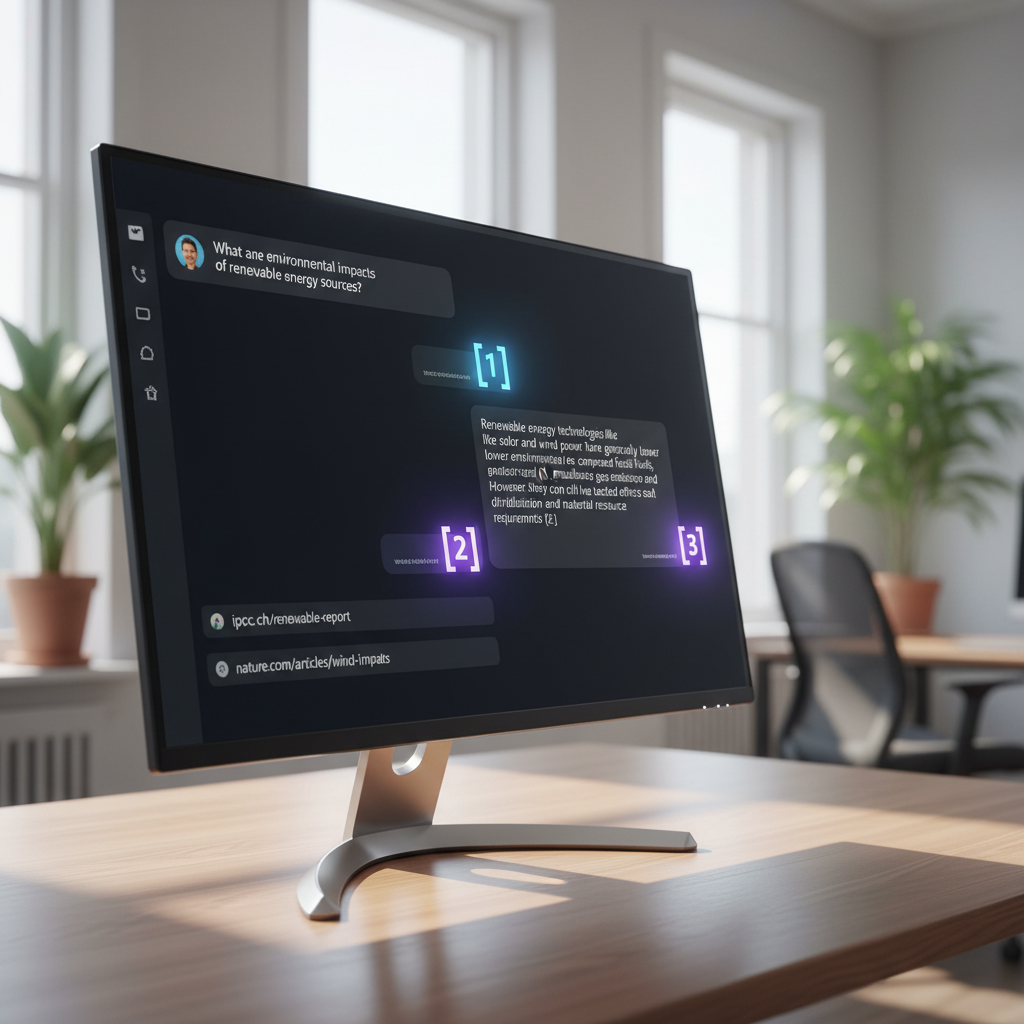
It built a markdown table. It added a footnote to every single price point. I clicked footnote 4. It took me directly to the competitor’s hidden pricing PDF.
Claude has a decent research feature. It lacks the ability to add specific reference links natively. Claude often invents numbers and apologizes when you catch the mistake.
Research needs truth sitting at the bottom of it. ChatGPT gives you clickable footnotes to verify that truth.
The automations ecosystem
This use case is my absolute favorite. I made ChatGPT my operational assistant that handles boring administrative work. Most repetitive work inside companies is just constant check-ins, status updates, and reminders.
These tiny tasks eat 2 hours out of every single workday. ChatGPT and Codeex let you schedule prompts to run automatically. You write the prompt once and set the schedule.
It keeps running in the background. If you want to learn how agents handle these tasks, read my guide on autonomous AI agents.
Here is an automation my team uses:
- Open the Codeex desktop app.
- Click on Automations and select New Automation.
- Name it Daily Standup.
- Type the prompt: Check my Slack every day at 11:05 AM. Tag the channel named YT Team Check-in. Ask what the status is and what we are working on today.
- Set the schedule to Daily at 11:05 AM.
Codeex searches the Slack channels. It asks for API permission once and saves the action. And the automation runs forever. I never have to do this manual task again.
So I stacked 50 automations like this across my company. Customer support summaries are another great example. I set Codeex to read our Intercom inbox every Friday at 4:00 PM.
It categorizes the top 10 user complaints. It drafts a summary email and sends it to my head of product. I haven’t manually checked Intercom in 3 months. Claude forces you to build complex Zapier workflows for this. OpenAI bolted it directly into the chat.
The fact check test
I found an open-source fact check skill on GitHub. It plugs into your AI and forces it to verify claims against the live web before answering. I installed this exact skill on both Claude and Codeex.

I gave both models the same prompt. I pasted a viral story about a guy who asked an AI to make him 5 dollars. The AI autonomously made 16 dollars instead.
Claude came back and stated the claim was unverified. It gave me a big list of red flags. It said it couldn’t locate a verifiable primary source. It gave me 0 links to follow up on.
Codeex came back with massive context. It verified the claim. It gave me the exact link to the original X post. I clicked the link and verified the story.
Codeex goes the extra step to find the truth. We ran a second test using legal case law. I asked both models to summarize a 2024 tech copyright ruling.
Claude cited a case from 2018. It hallucinated the details. Codeex pulled the actual 2024 PDF from a court website. Accuracy matters when you base real business decisions on the output.
Why vibe coding is better on Codeex
Vibe coding means building full stack products using plain English. Codeex handles both front-end and back-end routing automatically. If you build basic websites, Claude is fine. Codeex builds actual desktop apps on your Mac or Windows machine. You create internal tools and software without writing code yourself.
I typed a prompt asking for a Pomodoro timer with a dark mode toggle. Codeex wrote the React code. It bundled the app using Electron. It dropped a working .dmg file onto my desktop. I double-clicked it, and the timer opened. Claude gives you code snippets. Codeex hands you finished software. I recently detailed this process in my tutorial on how to deploy vibe coded apps.
Feature comparison table
| Feature | OpenAI ChatGPT and Codeex | Claude and Co-work |
|---|---|---|
| Context Window | 50,000 Tokens | 1,000,000 Tokens |
| Native Image Generation | Yes | No |
| Background Automations | Yes | No |
| Local Desktop App Building | Excellent | Basic |
| Uptime Reliability | High | Low |
Pros and cons
ChatGPT and Codeex pros
- Massive ecosystem with custom GPTs.
- Native high-quality image generation.
- Codeex handles background automations perfectly.
- Superior source tracking and link generation.
- Credits last significantly longer for coding tasks.
- Token caching drops API costs by 60 percent.
- The local Python execution environment catches syntax errors before showing them to you.
Claude pros
- 1,000,000 token context window.
- Co-work interface feels simpler for complete beginners.
- Better at holding massive codebases in memory at once.
- Artifacts feature organizes temporary designs well.
- The writing style feels slightly more human out of the box.
- It understands tone guidelines better than GPT 4.
The final verdict
Codeex has flaws. The 50,000 token context window hurts when you deal with massive codebases. Claude wins if you need to paste 5 entire books into the chat and ask questions.
If you prefer running local models instead of cloud tools, you might want to look into how to run Gemma 4 locally.
For everything else, ChatGPT wins. We choose OpenAI for the speed, the stability, the automations, and the image generation. My team ships work without the model going down 2 times a week.
That is why we switched. You pay 20 dollars either way. You need a tool that acts as an employee, not just a chat window. Codeex functions as a junior developer. Claude functions as an intern.
How to migrate your memory to ChatGPT
You probably think Claude already knows you. It has your context, your projects, and your goals. You do not have to throw that away.
ChatGPT has a memory import feature that pulls everything from Claude in 2 minutes.
- Go into Claude.
- Ask Claude to dump out everything it knows about you. Ask for a clean export of your preferences, coding syntax, and context.
- Claude spits out a long block of text.
- Copy that whole block.
- Go into ChatGPT, paste it into a new chat, and ask it to save this as your memory.
ChatGPT now knows everything about you that Claude knew. Check your settings menu. Make sure the Memory toggle is turned on. If Memory is off, ChatGPT forgets everything the second you close the browser tab.
Frequently asked questions
Is Claude completely dead in 2026?
Absolutely not. Claude remains highly useful for tasks requiring massive context. If you work with 500-page legal documents or giant software repositories, Claude processes that data better than ChatGPT.
Anthropic designed Claude to be safer. Healthcare and legal teams prefer Claude for strict compliance guidelines. OpenAI is much more permissive with its outputs.
What exactly is Codeex?
Codeex is OpenAI’s desktop app. It packs image generation, deep web research, code execution, and background automations into 1 workspace. You run it on your desktop or inside IDEs like VS Code and Cursor.
It reads your local file system directly. You do not have to drag and drop PDFs into the browser anymore. You just ask Codeex to read the specific folder sitting on your desktop.
Do I need to know how to code to use Codeex automations?
You don’t need any coding experience. You use plain English to tell Codeex what to do, when to do it, and where to post the results. The AI handles the API connections and scheduling automatically.
If an API breaks, Codeex reads the error log. It rewrites its own connection string and fixes itself. You just sit back and watch it work.
Here is my challenge to you. Use ChatGPT and Codeex as your main tool for 1 week. Run your hardest problems through it. Build 1 automation.
Try deep research with your own list of websites. Cancel your Claude subscription for 30 days. Force yourself to adapt to the Codeex interface.
The first 3 days feel weird. By day 5, you stop missing Claude. By day 7, you wonder how you ever worked without background automations. Just see what happens.
Start Building With Codeex Today

Written by Mangaleswaran
Mangaleswaran is the founder of AIZnap (aiznap.com) and a dedicated AI content creator. With a background in blogging and technology, he has a deep passion for making artificial intelligence accessible to everyone. He specializes in breaking down complex AI tools, tutorials, and updates into simple, practical guides that anyone can follow. Whether you are a complete beginner or someone looking to use AI to build websites, apps, or grow your online presence — Mangaleswaran's content is designed to help you take action with confidence.
View all posts