

You hit the rate limit again. You test prompts against Opus 4.8, wait for responses, and watch your API dashboard bleed credits. Anthropic builds incredible large language models. But they also charge a premium for direct access. Developers testing code animations or complex scripts burn cash fast.
Table of Contents
- ●The mechanics of API gateways
- ●Step 1: The fresh installation protocol
- ●System prep warning
- ●Step 2: Securing the proxy key
- ●Step 3: Configuring VS Code for custom routing
- ●Verifying the connection via terminal
- ●Terminal test prompt
- ●Deploying a local caching proxy with Docker
- ●Step 4: Exposing Claude Desktop developer mode
- ●Official API vs. gateway proxies
- ●Troubleshooting common connection errors
- ●Token reduction strategies
- ●Advanced proxy features: Request fallbacks
- ●Writing the Python testing script
- ●The final verdict
- ●Key takeaways
- ●Frequently asked questions
- ●Is it secure to use a third-party API gateway?
- ●Why did Claude Desktop revert to the standard login screen?
- ●Can I use this proxy method inside other IDEs like Cursor or WebStorm?
- ●How do I monitor my cache hit rate?
I found a structural method to manage this billing cycle. You wire a third-party API proxy gateway directly into your local IDE. You bolt it onto the Claude Desktop client. These gateways pool requests and cache identical queries. So this translates to hours of heavily reduced model testing for Fable, Sonnet, and Opus.
This guide breaks down exactly how to route Claude models by reconfiguring hidden system folders and exposing developer modes. You will rip out your old configurations. You will generate a proxy API key. And you will bind it to Visual Studio Code and the official desktop app.
The mechanics of API gateways
To understand the setup, you must map the architecture. Anthropic provides an official primary endpoint. You hit that endpoint directly when you send a prompt via a standard extension. You pay retail price for every token.
Third-party API gateways buy enterprise bulk access. They set up a reverse proxy. When you route your traffic through their base URL, you consume their bulk tokens. Many corporate networks require this setup for security auditing. Independent developers use it to access heavy caching features.
If you ask a model to format a JSON object 2 times, a standard connection bills you twice. A proxy gateway intercepts the second request. It serves the exact same response from a local Redis cache. So you pay 0 cents for the duplicate query.
This setup works for coding web apps with Claude, running local scripts, or generating UI animations.
Step 1: The fresh installation protocol
System conflicts ruin API routing. Old cache data forces your software to default to official endpoints. So you must clean the slate completely.
First, uninstall any existing Claude integrations. Remove the desktop application entirely. Go to your Visual Studio Code extensions folder and delete any AI coding assistants.
Windows users need to delete the leftover AppData folders. Press Windows+R and type `%appdata%`. Find the Anthropic folders and delete them.
Mac users must check their application support directories. Navigate to `~/Library/Application Support/` and delete the matching leftover files.
Next, install the fresh tools. Grab Visual Studio Code if you lack an IDE. And download the official Claude Desktop application directly from Anthropic.
System prep warning
Don’t log into the Claude Desktop app after installation. Leave it on the plain start screen. Logging in binds the software to your standard Anthropic account. That action overrides the custom developer proxy settings we will apply later.
You also need a reliable terminal. Windows PowerShell works fine.
But I recommend installing Git Bash for Windows. It handles cURL commands smoothly without syntax errors.
Step 2: Securing the proxy key
You need a gateway provider. Developers commonly use enterprise proxies like Helicone or Cloudflare AI Gateway. We will focus on a managed gateway setup for this configuration.
- Access your chosen gateway dashboard.
- Sign in and navigate to the API configuration panel.
- Create a new project workspace.
- Click the generation button to create a new routing key.
- Label it “Demo Local” for easy tracking.
Copy this exact string into a plain text document. You’ll need it in 5 minutes. Some developers prefer self-hosting their proxy. You can spin up a local instance via Docker. This keeps your request logs entirely private.

Step 3: Configuring VS Code for custom routing
We need to force VS Code to route AI requests through the gateway. We do this by editing the hidden system configurations.
Open your file explorer. Navigate to your root user directory. Look for a folder named `.cloud` or `.claude`. Operating systems hide folders starting with a period by default.
Windows users can reveal it by clicking “View” on the top ribbon. Select “Show” and check “Hidden items”. Mac users can press Command+Shift+Dot in Finder to reveal hidden directories. You can also use Microsoft PowerToys to manage directories.
Open the hidden folder. Right-click and open it in VS Code. Locate a file named `settings.json`. Create this file if it doesn’t exist.
Wipe any existing code inside `settings.json`. Insert the proxy configuration. It will look like this:
{
  "api_key": "YOUR_PROXY_KEY_HERE",
  "base_url": "https://gateway-proxy-url.com/v1",
  "default_model": "claude-fable-5",
  "telemetry": false
}
Replace `YOUR_PROXY_KEY_HERE` with the key you generated. Replace the `base_url` with the specific endpoint provided by your gateway dashboard. Press Control-S to save.
Verifying the connection via terminal
You must test the handshake before relying on the UI. Open a new terminal in VS Code. Select Git Bash as your terminal profile.
Run a simple cURL command. Ask the API to identify its available models. This confirms your key talks to the gateway successfully.
curl https://gateway-proxy-url.com/v1/models \
  -H "x-api-key: YOUR_PROXY_KEY_HERE"
The terminal will print a JSON array of available models. You’ll see `claude-opus-4.8` and `claude-sonnet`. If you see the list, the tunnel works.
Send a direct ping to the Fable model next. Testing the latency is mandatory if you are learning how to build websites and games with Claude Fable 5.
Terminal test prompt
Run this in Git Bash to test the response:
curl https://gateway-proxy-url.com/v1/messages -H "x-api-key: YOUR_PROXY_KEY_HERE" -d '{"model": "claude-fable", "messages": [{"role": "user", "content": "Hello. Which model are you?"}]}'
The system will pause for roughly 2 seconds. Then it returns a JSON package containing the model’s greeting. You just connected one of the best AI coding assistants to a custom gateway.
Deploying a local caching proxy with Docker
Relying on external gateways introduces external latency. You can run the gateway directly on your own hardware. This guarantees 0 external logging.
You need Docker Desktop installed. Open your terminal and pull the LiteLLM image. The command is `docker pull litellm/litellm`.
Create a new file named `config.yaml` on your desktop. This file maps your standard Anthropic key to a local proxy endpoint. You weld the caching database into this configuration.
Insert the caching logic into the YAML file. You tell the proxy to store exact prompt matches in memory. When you send the same code snippet twice, the proxy intercepts it.
It returns the stored answer in 10 milliseconds. Run the Docker container and bind it to port 4000. Point your VS Code `settings.json` base URL to `http://localhost:4000`.
You just built an enterprise caching layer on your laptop.
Step 4: Exposing Claude Desktop developer mode
The browser version of Claude relies completely on Anthropic servers. You can’t proxy it. The standalone Claude Desktop app includes hidden developer tools designed for enterprise debugging.
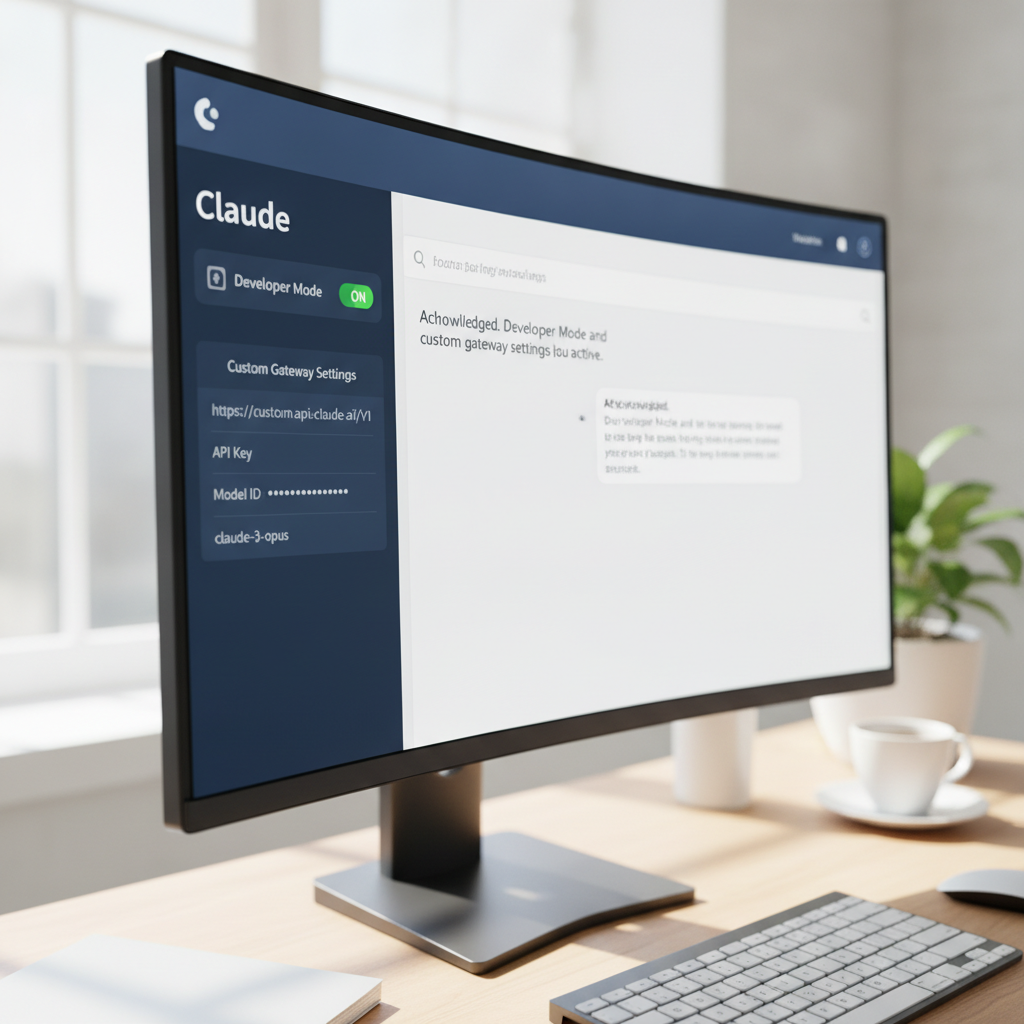
Launch the plain Claude Desktop interface. Look for the menu icon. You’ll find it under the system tray icon on Windows or the top menu bar on Mac.
- Click the menu.
- Navigate to Help > Troubleshooting > Enable Developer Mode.
- The application will restart abruptly. Let it boot back up completely.
- Click the menu again. You will see a new item labeled Developer Options.
- Click Developer Options > Configure Third-Party Interface.
A modal window drops down asking for 3 inputs. It needs the Gateway Base URL, Auth Scheme, and X-API Credentials.
Paste your gateway URL into the Base URL field. Leave the Auth Scheme blank. Paste your generated API key into the X-API Credentials box. Click Test Connection.
The text should flash green and report the latency. Click Apply Changes. You can now use the desktop interface with your custom routing rules.
Official API vs. gateway proxies
Before relying entirely on this setup for production tasks, you should understand the tradeoffs. Gateways provide deep testing environments. But they lack the rigid guarantees of direct official accounts.
| Feature | Direct API | Caching Gateway Proxy |
|---|---|---|
| Cost | Retail rate | Reduced via cache hits |
| Latency | Standard | Faster on repeat queries |
| Privacy | Official terms | Depends on host configuration |
| Setup | Instant | Requires local configuration |
Pros of the gateway method
- It caches repeat queries to drop your usage costs.
- It provides unified logging for all your local IDEs.
- It forces you to learn API routing and JSON configuration.
- It integrates natively with major coding tools.
Cons of the gateway method
- You must maintain the local configuration files.
- External hosted proxies introduce potential privacy risks for proprietary code.
- Initial setup takes 20 minutes of terminal work.
- Version updates occasionally break the desktop developer tools.
Troubleshooting common connection errors
The terminal test fails occasionally. The machine spits back red text. You can fix most errors by checking the basics.
Error 401 Unauthorized: Your API key expired. You might have copied a blank space at the end of the string. Open `settings.json` and inspect the key carefully. Delete any trailing spaces.
Error 429 Too Many Requests: You hit the rate limit. Gateways throttle users to prevent server overload. Wait 60 seconds and fire the prompt again.
SyntaxError: A syntax error indicates broken JSON formatting. JSON requires strict structure. Missing commas or extra brackets will crash the parser. Use a code linter like ESLint to highlight the broken line.
Connection Refused: Your system firewall blocked the outgoing request. Corporate IT policies often block unverified outbound API calls. Test the connection on a separate personal network to isolate the issue.
SSL Certificate Errors: These occur on strict corporate networks. Your company firewall might intercept and inspect HTTPS traffic. Add the `NODE_EXTRA_CA_CERTS` environment variable to your system. Point it to your local certificate file.
Token reduction strategies
Connecting to a proxy is just the first step. You must protect your token balance. Large context windows drain credits quickly.
Don’t paste entire codebases into the chat just to fix a single CSS bug. Isolate the exact function you want to fix. Send only the broken loop or the specific HTML snippet.
Ask the model to generate the fix without explaining the logic. You can enforce this behavior natively. Prepend your prompts with strict instructions to output raw code only.
Use system prompts to restrict conversational filler. Every pleasantry costs you money. Force the model to drop introductions.
Implement aggressive text filtering before sending the prompt. Strip all comments from your code. Remove trailing whitespace. Minify your JSON payloads.
These small adjustments save millions of tokens over a 12-month development cycle. You keep your latency low. And you keep your costs manageable.
If you build full applications, read up on how to use autonomous AI agents effectively. Unsupervised agents will burn through your budget in 5 minutes.
Advanced proxy features: Request fallbacks
Gateways offer more than just caching. They provide automated request fallbacks. APIs go down. Network timeouts happen constantly.
When Anthropic servers drop a connection, your local script usually crashes. But a configured gateway catches that specific timeout error. It instantly reroutes the exact same prompt to a different model.
You configure this directly in your gateway dashboard. You set Claude Opus as your primary target. You set Claude Sonnet as your first fallback.
The gateway handles the translation. It takes your Anthropic-formatted prompt. It converts the syntax to match the backup model requirements automatically. The response pipes back to your IDE.
So you never see the error message. Your code generation continues without interruption. This resilience saves hours of debugging network timeouts during heavy development sprints.
Load balancing works similarly. You can supply the gateway with 3 different API keys. The proxy distributes your requests across all 3 keys evenly. This prevents you from hitting the rate limit on a single account.
Writing the Python testing script
Manual terminal testing works for initial setup. Professional workflows require automated validation. You should write a Python script to test your gateway health.
Open VS Code. Create a file named `proxy_test.py`. You need the requests library installed. Run `pip install requests` in your terminal.
Import the library at the top of your script. Define your gateway URL and your API key as variables. Build a simple JSON payload containing a basic prompt.
Write a try-except block to catch connection errors. Use the post method to send the payload. Tell the script to measure the exact response time in milliseconds.
Print the response text and the timing data to your console. Run this script every morning before you start coding. It confirms your routing works.
If the script returns an error, you know the proxy is down. You can switch back to the official API temporarily. This prevents you from wasting 20 minutes troubleshooting your IDE settings.
The final verdict
Anthropic builds highly capable models. Opus 4.8 handles logic operations predictably. Routing your development environment through a proxy gateway gives you granular control over your API usage.
You cleared your system cache. You edited hidden application settings. You pinged endpoints via Git Bash. And you configured developer menus hidden inside the desktop client.
Monitor your token usage via your gateway dashboard. Implement strict caching rules. And never send sensitive corporate data through a public proxy server.
Key takeaways
- API gateways act as reverse proxies to manage token usage and cache repeat queries.
- You must perform a fresh install to prevent old configuration overrides.
- The `settings.json` file controls IDE API routing parameters.
- Claude Desktop hides custom endpoint configuration under its Troubleshooting menu.
- Verify API handshakes via terminal cURL commands before relying on the visual interface.
Ready to start building? Grab your API proxy key and configure your workspace. Explore GitHub for tools that automate JSON injections. Ask the community on Stack Overflow for advanced routing tricks.
Frequently asked questions
Is it secure to use a third-party API gateway?
It depends entirely on the host. Self-hosted proxies running on your local machine are completely secure. Public hosted proxies can log your prompt data. Read the specific privacy policy of your chosen gateway provider before sending proprietary code.
Why did Claude Desktop revert to the standard login screen?
Software updates often wipe custom developer settings. You need to re-enable Developer Mode through the Troubleshooting menu. Re-paste your gateway URL and proxy API key into the interface.
Can I use this proxy method inside other IDEs like Cursor or WebStorm?
Yes. Any application that allows custom base URLs for OpenAI or Anthropic endpoints accepts a proxy. You point the base URL to your gateway. You provide the generated proxy key instead of the official key.
How do I monitor my cache hit rate?
Most enterprise gateways provide a metrics dashboard. You check this panel to see the ratio of cached responses to fresh API calls. Local Docker deployments usually export these metrics to Prometheus or Grafana.

Written by Mangaleswaran
Mangaleswaran is the founder of AIZnap (aiznap.com) and a dedicated AI content creator. With a background in blogging and technology, he has a deep passion for making artificial intelligence accessible to everyone. He specializes in breaking down complex AI tools, tutorials, and updates into simple, practical guides that anyone can follow. Whether you are a complete beginner or someone looking to use AI to build websites, apps, or grow your online presence — Mangaleswaran's content is designed to help you take action with confidence.
View all posts