

Nvidia just released its heaviest open-weight AI model to date. They call it Nvidia Nemotron 3 Ultra. It went live on June 4. It immediately reset the baseline for what developers can expect from open models. You can run this massive architecture without paying a single cent for API access.
Table of Contents
- ●What you need to know
- ●The Mixture of Experts advantage
- ●Built specifically for long-running agents
- ●Nvidia Nemotron 3 Ultra benchmark comparisons
- ●How to set up Nemotron 3 Ultra for free
- ●Method 1: Open Code terminal setup
- ●Method 2: Open Router API pipeline
- ●Method 3: Nvidia Build browser interface
- ●Writing strict system prompts for agents
- ●Building active error recovery loops
- ●Understanding the reasoning control settings
- ●The true cost savings of efficient tokens
- ●Frequently asked questions
- ●What makes Nemotron 3 Ultra different from standard chat AI?
- ●How does the 550B model run so fast?
- ●Can I run Nemotron 3 Ultra locally on my laptop?
- ●Does it support languages other than English?
- ●Deploying your first autonomous agent
The headline specification is 550 billion parameters. A model of this sheer physical size usually requires a dedicated server farm. It usually sits behind a rigid corporate paywall. But Nvidia chose a different route.
They published the weights directly to Hugging Face for public download. You can access the model through open terminal applications right now. And here is the critical detail most initial coverage misses entirely.
Nvidia built Nemotron 3 Ultra specifically to handle long-running computer tasks. They designed it for autonomous AI agents that do real work. It handles deep multi-step scripting rather than just answering simple questions in a text box.
What you need to know
- Massive scale: 550 billion total parameters using a Mixture of Experts (MoE) architecture.
- High speed: Generates outputs 5 times faster than standard dense models in its class.
- Deep memory: Holds 1,000,000 tokens of context directly in memory.
- Free access: Available at zero cost via terminal agents and browser endpoints.
The Mixture of Experts advantage
Speed remains the main obstacle when running giant AI workloads. A 550-billion-parameter model usually crawls. Nvidia solved this latency problem by building Nemotron 3 Ultra as a Mixture of Experts (MoE) model.
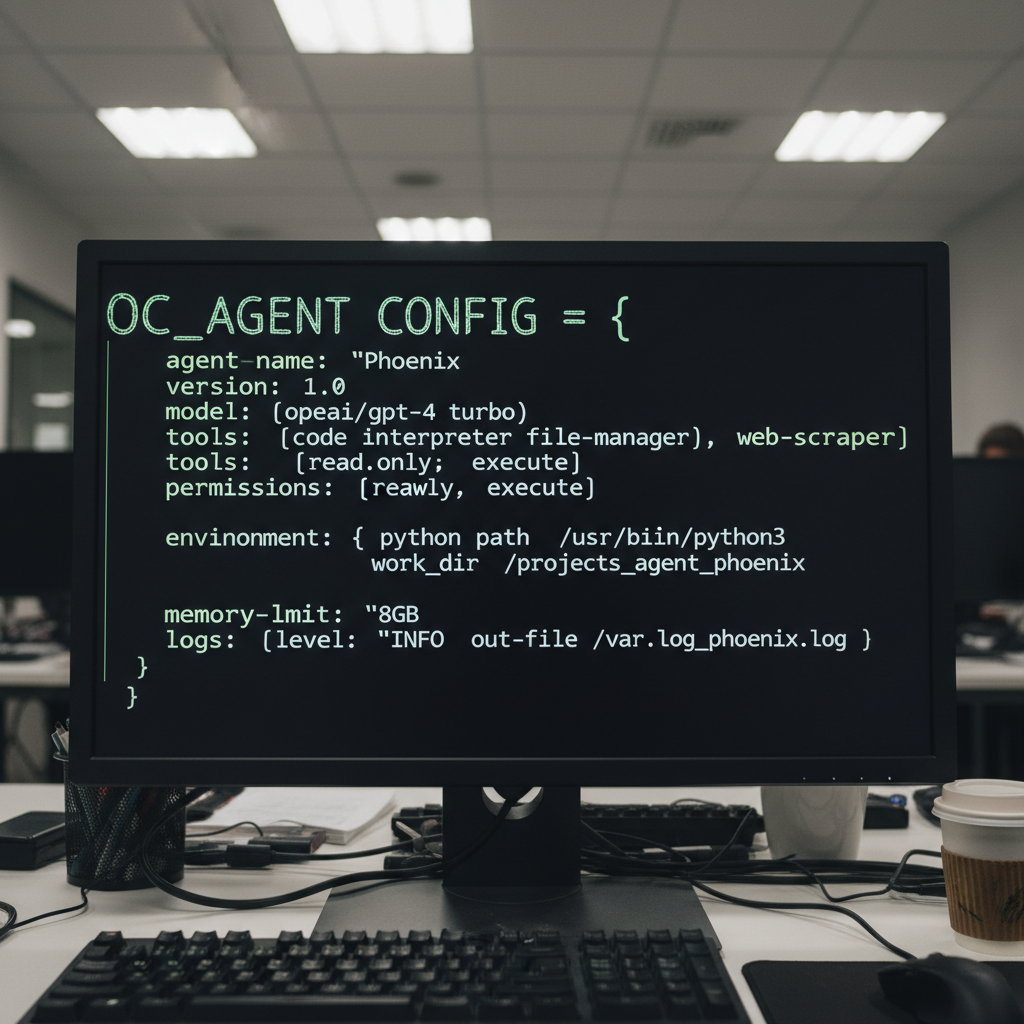
This architecture fundamentally changes how the computation works. Think of MoE like a giant switchboard for data. The file size contains 550 billion parameters. But the system never activates all of them simultaneously.
For any specific processing step, it only switches on roughly 55 billion parameters. This represents the exact mathematical slice needed for that precise calculation. The remaining 90 percent of the model stays entirely inactive during that token pass.
So you get the deep reasoning accuracy of a massive 550B brain. But the hardware only carries the processing weight of a 55B model. This results in incredibly fast output generation.
Nvidia claims it runs up to 5 times faster than competing models of a similar parameter count. Furthermore, the model guesses multiple words per pass natively. This compound behavior shaves even more milliseconds off the response time.
When you run AI loops that go back and forth constantly, those saved milliseconds stack up. They turn into hours of saved server time across a week. If you decide to deploy your agent online, host the application logic on a reliable platform like Hostinger to keep server costs low while the AI handles the heavy processing offsite.
Built specifically for long-running agents
Most popular models you use handle conversational chat. You type a prompt. It returns a completed paragraph. The interaction ends. Nemotron 3 Ultra executes a completely different objective.
Nvidia tuned this model to operate as a worker. It plans an entire complex task. It calls external APIs and reads the returned data. It hands off specific sub-tasks to smaller specialized models.
It checks its own code output for bugs. It actively recovers from errors when a web script breaks. To do this properly, the model requires an enormous working memory. Nemotron 3 Ultra supports a 1,000,000-token context window.
This allows the AI to keep track of a massive database of documents. It never drops the thread halfway through the job. When an agent works on a coding project for 3 hours, that memory buffer protects it.
It prevents the model from forgetting a security rule it established 10 steps ago. You can dump entire codebases and server logs straight into the prompt window. The agent reads it all without crashing.
Did you know? The ruler benchmark tests an AI model’s ability to recall specific facts buried deep inside large files. At the maximum 1,000,000 token limit, Nemotron 3 Ultra scores 95 percent accuracy. Many older models fail entirely past 256,000 tokens.
Nvidia Nemotron 3 Ultra benchmark comparisons
The internal benchmark testing places Nemotron in direct competition with top-tier paid and open-source models. Look at how it compares to alternatives like Meta Llama 3, Qwen 3.5, and the recent Claude 4 Opus release.
| Model name | Context limit | Architecture type | 1M token recall |
|---|---|---|---|
| Nvidia Nemotron 3 Ultra | 1,000,000 tokens | MoE (550B total) | 95% |
| Qwen 3.5 Max | 256,000 tokens | Dense | N/A (Fails) |
| GLM 5.1 | 128,000 tokens | Dense | N/A (Fails) |
| Claude 3.5 Sonnet | 200,000 tokens | Closed API | N/A (Fails) |
The data clearly shows Nemotron 3 Ultra trades blows with paid APIs on instruction following and coding accuracy. It completely dominates open models on long context retention.
It doesn’t win every single coding row against heavily specialized tools like OpenAI o1. But the combination of high accuracy and high speed makes it the logical choice for multi-step agent frameworks.

How to set up Nemotron 3 Ultra for free
You likely don’t own the data center GPUs required to host a 550B model locally. You need a massive cluster of expensive H100 chips just to load the weights into memory. Fortunately, there are 3 distinct free pathways to run this model today.
The easiest free route runs entirely inside your code terminal.
Method 1: Open Code terminal setup
Open Code operates as a terminal-based AI agent. Nvidia listed Nemotron 3 Ultra as a fully free provider on the platform the exact day the model launched. You get access to the full 1,000,000-token context window.
To connect it, you just modify the basic JSON configuration file.
- Install the Open Code CLI tool from GitHub to your machine.
- Create a new configuration file named
open_code.jsonin your root directory. - Open the JSON file and map the provider directly to the free endpoint.
You must paste the exact parameters below into your configuration file:
{
  "provider": "nvidia_free",
  "model": "nemotron-3-ultra",
  "context_limit": 1000000,
  "max_output_tokens": 32000,
  "reasoning_effort": "medium"
}
Save the file. Run the Open Code startup command. The model instantly appears in your terminal window ready to process tasks.
If you write web applications, pair this model with the best Claude prompts for coding web apps to speed up frontend generation.
Method 2: Open Router API pipeline
If you already use a custom GUI interface, Open Router offers a direct pipeline. Open Router has a specific listing tagged as free for Nemotron 3 Ultra. Generate your API key on their dashboard.
Paste the key into your favorite application. Select the free Nemotron listing from the dropdown menu. You are instantly connected.
You can also send a standard curl request directly to this endpoint. You just pass your Open Router key in the header and set the model name to nvidia/nemotron-3-ultra-free.
Method 3: Nvidia Build browser interface
Sometimes you just want to test a model before wiring it into your permanent stack. You can chat with it directly on the Nvidia Build platform. You don’t need to enter credit card details.
You don’t need to install software. You literally just open the webpage. You type your prompt and evaluate the response speed firsthand.
Writing strict system prompts for agents
Chat models require polite instructions. Worker models require strict physical boundaries. When you prompt Nemotron 3 Ultra, you must define the exact state machine you want it to follow.
I always start my system prompts by stripping away conversational pleasantries. You tell the model exactly what persona to adopt. You list the exact tools it has permission to use. You define the precise format for its output.
You are a senior backend developer.
Your task: Read the provided SQL schema.
Output: Return exactly one JSON object containing the exact database queries.
Do not explain your work. Do not include markdown formatting around the JSON.
Notice the physical constraints. You lock down the output format. You forbid extra text.
Because Nemotron 3 Ultra runs so fast, a poorly constrained prompt results in massive walls of unwanted text. You burn through your token limit generating explanations you never asked to read. Strict constraints force the model to stay on task. It writes the exact code block and nothing else.
Building active error recovery loops
Autonomous agents fail constantly. Websites change their CSS selectors overnight. External API endpoints timeout. A standard Python script crashes immediately when this happens.
You can use Nemotron 3 Ultra to build an active recovery loop instead. You wrap your main execution code in a standard try-except block. When the code throws an error, you catch the specific error message.
You pass that raw error string directly back into Nemotron 3 Ultra along with the broken code.
def handle_api_failure(error_log, broken_code):
    prompt = f"The following code failed with this error: {error_log}. Rewrite the script to bypass the timeout limitation. {broken_code}"
    response = call_nemotron(prompt)
    return response
When the Python script fails, it captures the complete traceback log. It grabs the exact line numbers where the execution halted. You pass this entire block of text straight into the prompt.
The 1,000,000-token context window holds the entire history of the failed attempts. The model reads the exact syntax error. It identifies the broken line of Python causing the crash.
It rewrites the function to handle the missing variable. It instantly hands the repaired code back to your main script to execute again. This self-healing architecture keeps your agents running overnight while you sleep.
Understanding the reasoning control settings
Nemotron 3 Ultra features a dedicated thinking mode. You toggle this mode using a flag inside your API call. When activated, the model generates an invisible reasoning trace before outputting the final text.
This drastically improves performance on hard mathematics and logic puzzles. But full reasoning consumes thousands of extra tokens. Nvidia explicitly recommends starting with the medium effort setting.
This configuration applies a balanced reasoning budget. It prevents you from wasting heavy compute cycles on simple requests. Formatting a basic HTML table doesn’t require deep logic. You simply match the computing effort to the difficulty of the specific task at hand.
Pros
- Massive 1,000,000-token context window.
- Runs 5 times faster than dense competitors.
- Open weights released under a permissive license.
- Free access via popular terminal clients.
Cons
- Requires massive server hardware to run totally local.
- Doesn’t beat OpenAI o1 on advanced math logic.
- Medium reasoning setting sometimes overthinks basic prompts.
The true cost savings of efficient tokens
Even if you eventually migrate off the free endpoints and start paying for commercial API access, Nemotron 3 Ultra saves real money. Nvidia published internal testing tracking token consumption on agent tasks.
Nemotron finishes complex coding benchmarks using up to 30 percent fewer tokens overall. It requires fewer turns to get the correct answer. It writes concise output blocks instead of rambling text walls.
Let’s calculate the exact math. If you run a fleet of agents that process 10 million tokens a day, a 30 percent reduction equals 3 million saved tokens. Over a 30-day month, you save 90 million tokens.
That triggers a massive drop in your monthly AWS or cloud hosting bill. It makes scaling agent networks a financially viable reality. This pairs perfectly with the new Linux Foundation Open MDW license.
This permissive license means nobody can arbitrarily shut off your access. Nobody can retract the model weights. Nvidia even released the original training data recipes.
Developers can study exactly how models get built from scratch. For those looking for local coding solutions, it firmly ranks among the best AI coding assistants available for free today.
Frequently asked questions
What makes Nemotron 3 Ultra different from standard chat AI?
It is built specifically for autonomous agents. Chat models answer single questions. Nemotron executes multi-step planning. It uses external tools. It verifies its own outputs using a massive 1,000,000-token memory buffer.
How does the 550B model run so fast?
It uses a Mixture of Experts (MoE) design. Out of the 550 billion parameters, it only fires 55 billion parameters per token. This keeps the processing light and fast. You keep the intelligence of a massive model without the latency drag.
Can I run Nemotron 3 Ultra locally on my laptop?
No. A model this size requires a high-end data center setup to host the raw weight files. You must connect to it remotely via the free APIs offered by Open Code or Open Router to use it on a standard computer.
Does it support languages other than English?
Yes. Nvidia trained the model to speak and write accurately in over a dozen different languages. You can hook it into global customer service agents without relying on third-party translation layers.
Deploying your first autonomous agent
Nvidia Nemotron 3 Ultra delivers top-tier performance tuned specifically for long-running computer agents. The massive 1,000,000-token window ensures it never loses track of the project details. The free access tiers remove the financial barrier entirely.
You have the hardware access. You have the exact configuration scripts. Set up your JSON file. Launch your terminal. Bolt this massive model to your next coding project and watch the agent work.

Written by Mangaleswaran
Mangaleswaran is the founder of AIZnap (aiznap.com) and a dedicated AI content creator. With a background in blogging and technology, he has a deep passion for making artificial intelligence accessible to everyone. He specializes in breaking down complex AI tools, tutorials, and updates into simple, practical guides that anyone can follow. Whether you are a complete beginner or someone looking to use AI to build websites, apps, or grow your online presence — Mangaleswaran's content is designed to help you take action with confidence.
View all posts